How do I add my GST ID?

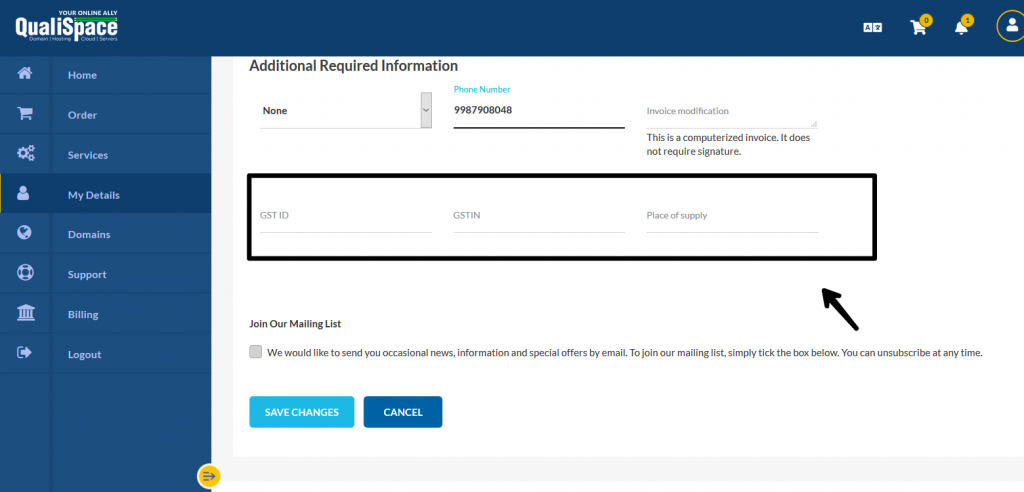
You can update your GSTIN from your profile by logging in to the QualiSpace client area

  • Clicking on My details
  • Enter your GST details and place of supply under additional information
  • Save changes.

GSTIN-update

Important Note:

  • The GST ID provided must match the state mentioned in your profile.
  • You can claim input tax credit only if the GST ID is reflected on the invoice. For this, you will need to update your GST ID in your profile before the invoice is raised.


 

Build Your Website with Hostiko

From professional business to enterprise, we’ve got you covered!

Copyright ©2026 QualiSpace. All rights reserved.

A Platform

QualiSpace
Privacy Overview

This website uses cookies so that we can provide you with the best user experience possible. Cookie information is stored in your browser and performs functions such as recognising you when you return to our website and helping our team to understand which sections of the website you find most interesting and useful.