
Knowledge Base
How do I add my GST ID?
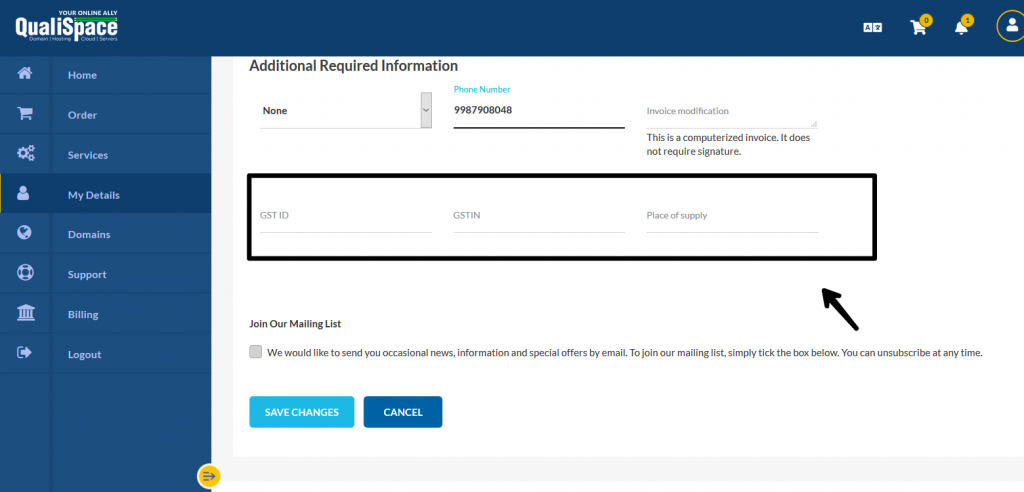
You can update your GSTIN from your profile by logging in to the QualiSpace client area
- Clicking on My details
- Enter your GST details and place of supply under additional information
- Save changes.
Important Note:
- The GST ID provided must match the state mentioned in your profile.
- You can claim input tax credit only if the GST ID is reflected on the invoice. For this, you will need to update your GST ID in your profile before the invoice is raised.

