
How do I change Root password using WHM?
Yes, the Root password of your VPS/Dedicated Server can be changed using WHM by just following some easy steps mentioned below:
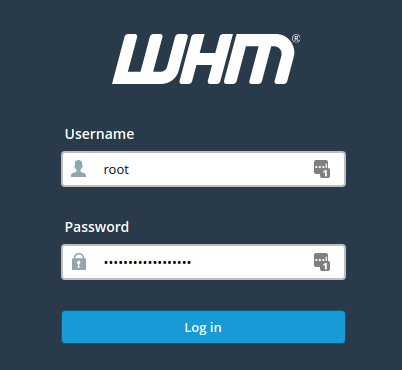
1. Login to your Server’s WHM panel.
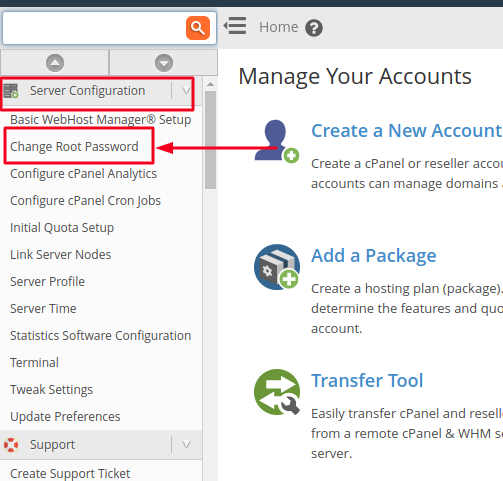
2. From the justify pane, click on Change Root Password option in the Server Configuration menu as shown below.
3. Enter the new password in New root Password and Confirm Password fields (you may use built-in Password Generator option to create a strong password).
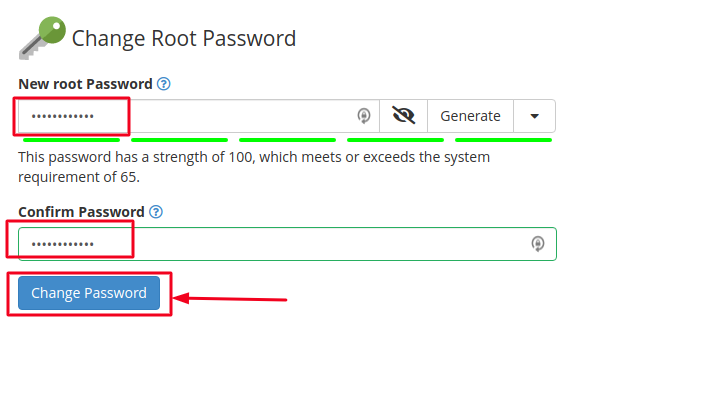
Once done, click on Change Password button.
Note: We highly recommend you to use a strong password and updating it regularly. Your password must be at least 8 characters long and should be a combination of uppercase and lowercase characters, numbers and special characters.
That’s it! Now you can login to your WHM account using your new password.

