Knowledge Base
How to change an FTP password in cPanel?
Here I will show you how to change FTP Password of a user you created and not the default FTP user. The default FTP user can be reset by just changing the cPanel password as both cPanel and FTP share the same Username and Password.
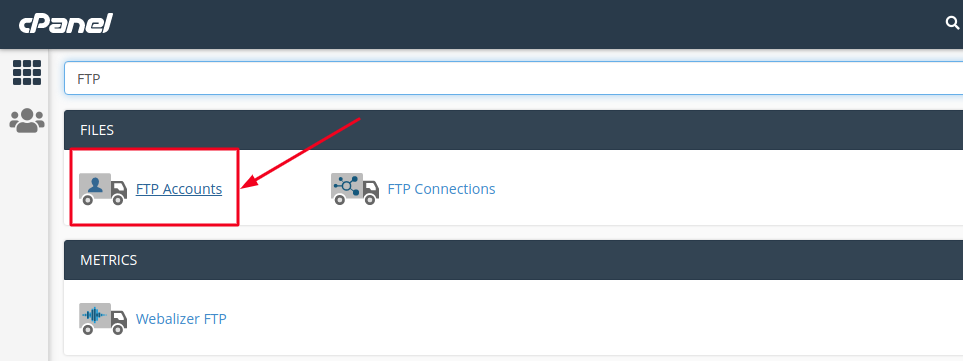
- Log in to cPanel, search for FTP Accounts and click on it.
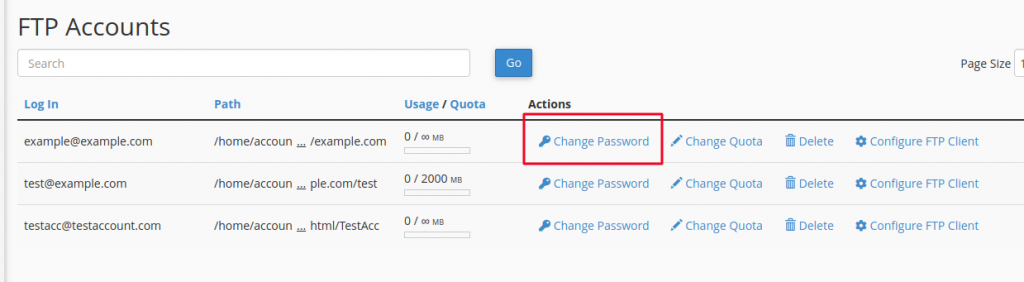
- Scroll down to the FTP Accounts section and click the Change Password link besides the account that you want to change the password for.
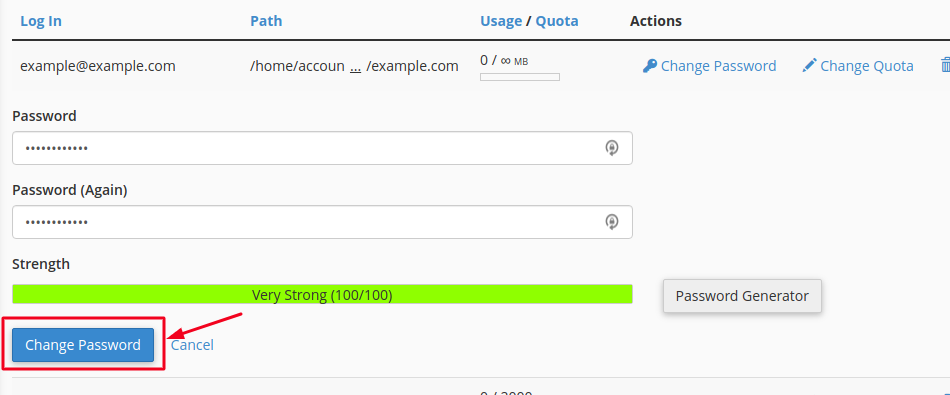
- Enter the new FTP password twice into the fields. You can also use the password generator button to get cPanel to generate a strong password for you.
Once you’re done filling up the details, click on the Change Password button.
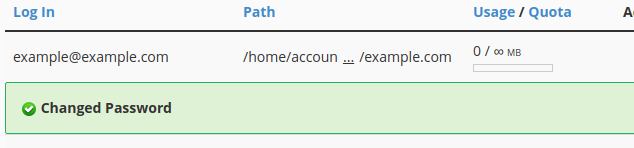
You will get a Success message as Changed Password indicating that we have successfully changed the Password.