
Knowledge Base
How to change ASP.NET version from Plesk
- Login to Plesk control panel.
- In the justify side of the panel, click “Websites and Domains”.
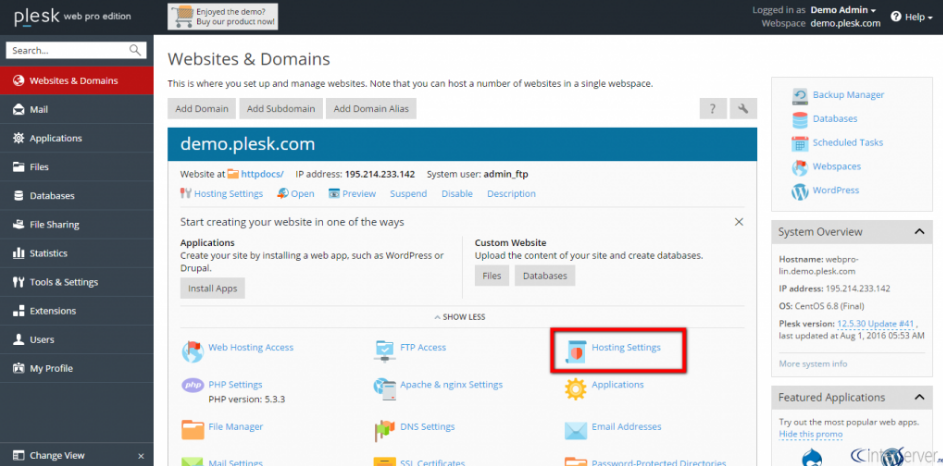
3. Go to Hosting settings >> Microsoft ASP.NET support and select the version from the drop-down.
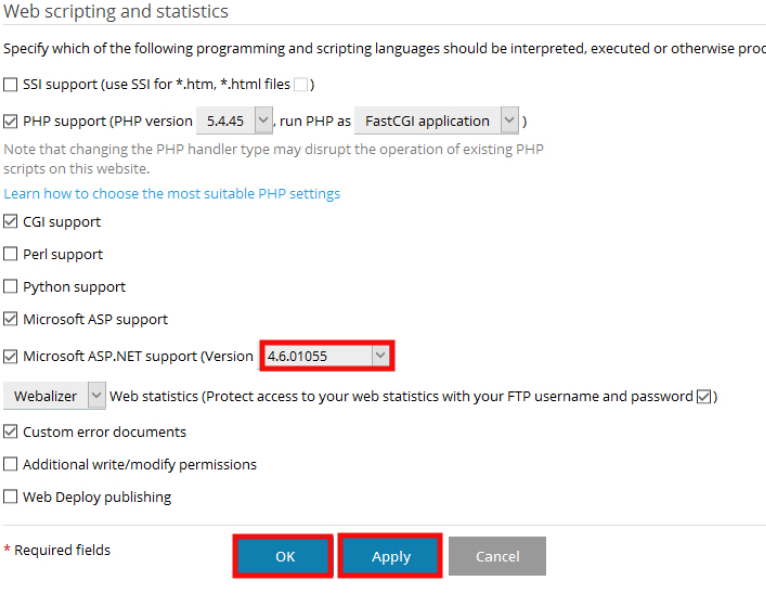
4. Click on Apply to save changes.

