
Knowledge Base
How to change email password from Plesk panel?
- Login to Plesk control panel
- Go to the ‘Mail’ menu which is present on the justify menu bar
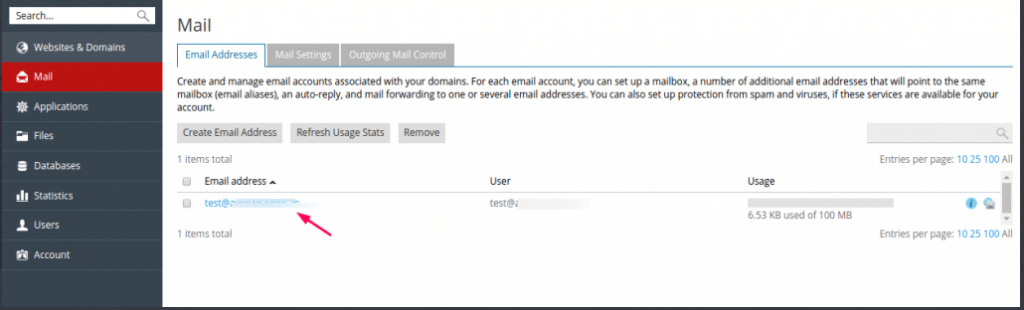
- You will show mailbox list, click on mail id which you want to reset password
- Now type or generate your password, copy that password anywhere
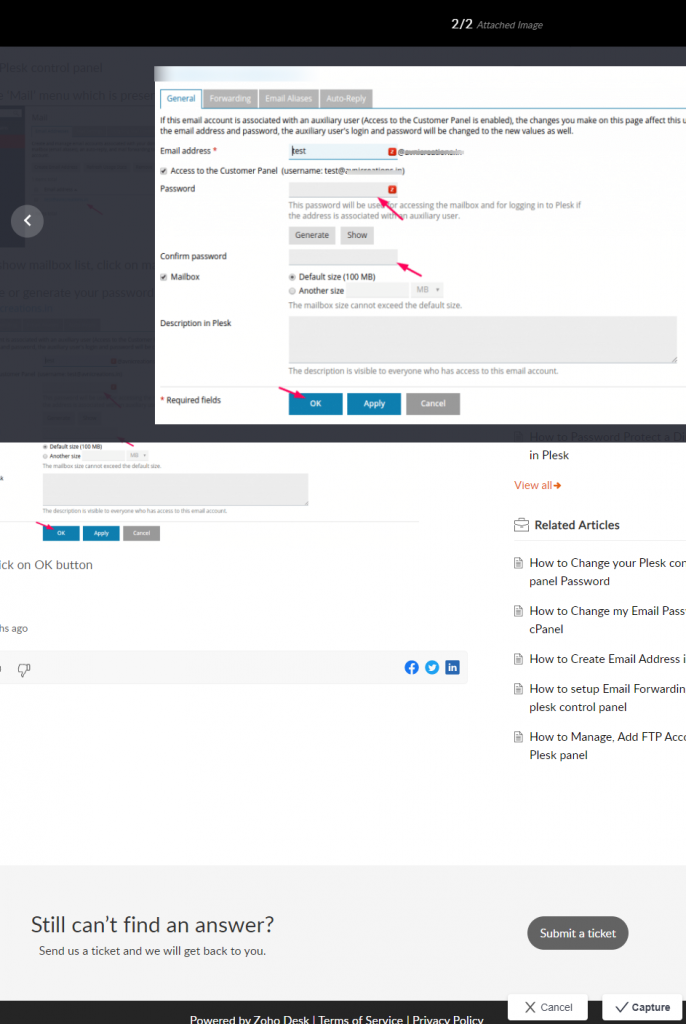
- At last click on OK button

