
Knowledge Base
How to change the password of an email account?
You can change your Password of Email account using cPanel as well as Webmail, here I will show you how you can change password via both i.e. cPanel as well as Webmail.
Let’s start with changing password using cPanel:
Let’s assume that the email account owner has lost or forgotten his password, in such a case the password can be reset through cPanel as this method does not require the old password.
Follow the below steps in order to change Password using cPanel:
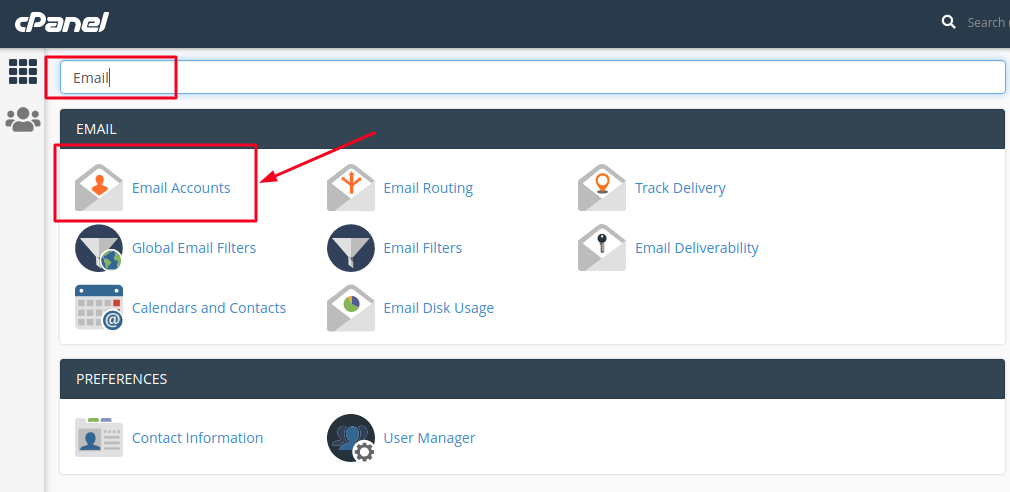
- Login to your cPanel account and search for the Email Accounts option.
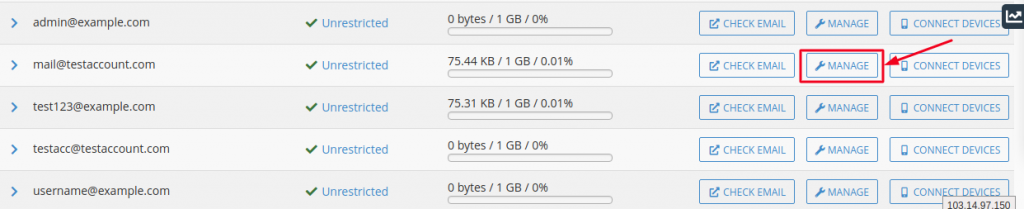
- Search for the appropriate Email account whose password you want to change and click on Manage option available to the Right hand side of the screen.
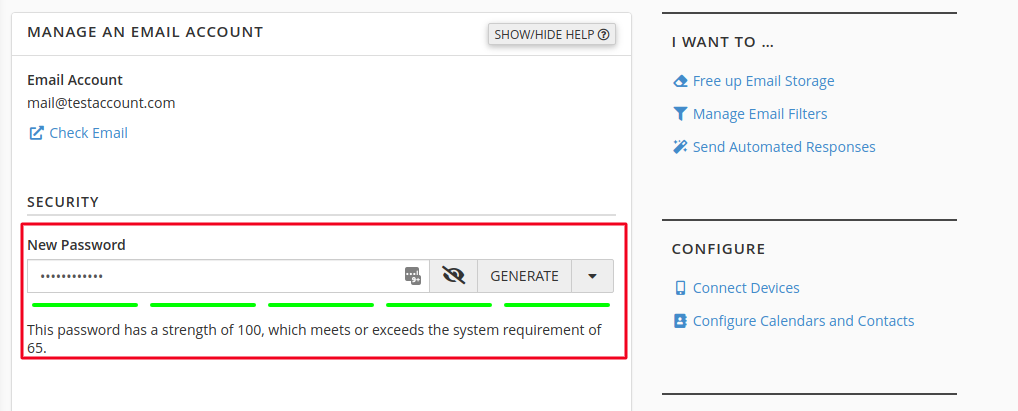
- Now, in the Password field, type the new password. Please note that the Strength Meter will indicate the difficulty of the password you select. It is a best practice to use a complex password with special characters.
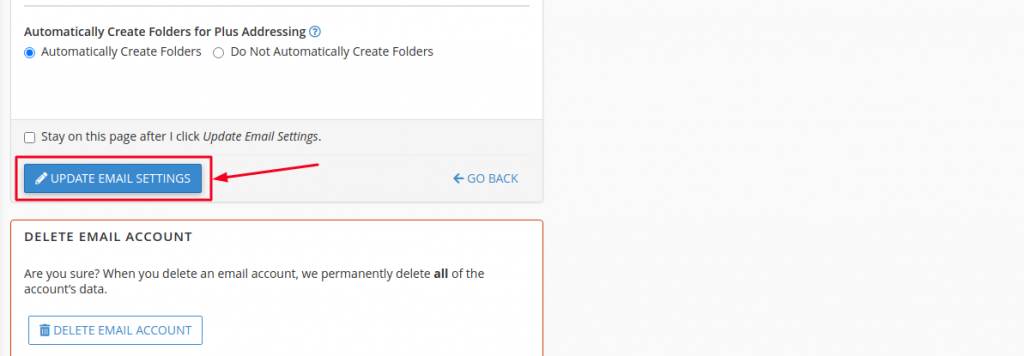
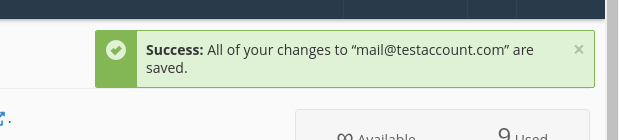
- After entering the Password just scroll down to the bottom of the page and click on Update Email Settings button. You will then receive a success message showing that your password has been successfully changed.
Changing Password using Webmail: You can change your Email account password using Webmail by following the below steps:
- Login to your Webmail Account using the link http://webmail.domainname.com or http://domainname.com/webmail
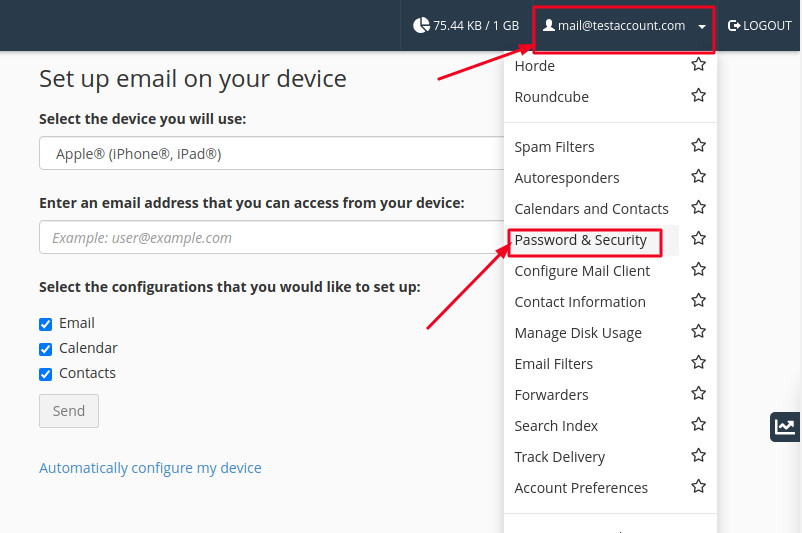
- Click on your email address located on the top-right corner of the screen and then click the Password & Security link as shown below:
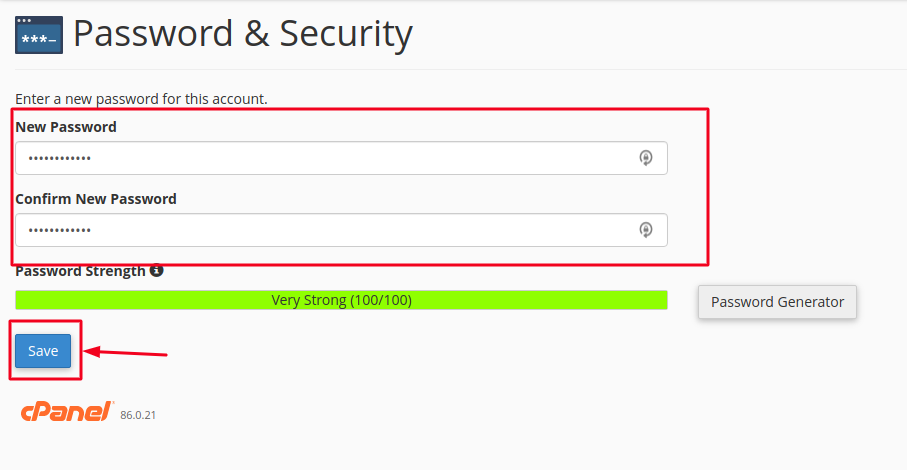
- Type your new password in both boxes and then click the Change Password button. Note, you must always use a complex password (strength of at least more than 65).
Congratulation, you hve now learnt to reset your Password using cPanel as well as Webmail.

