How to check disk space in Linux (command line)
df
The df command stands for “disk-free,” and shows available and used disk space on the Linux system.
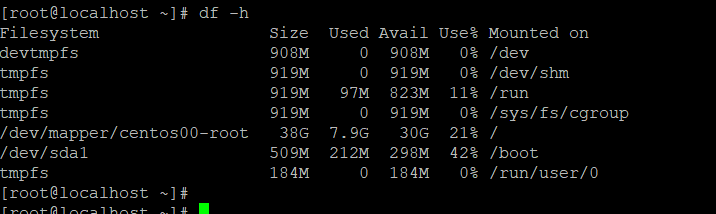
df -h shows disk space in human-readable format
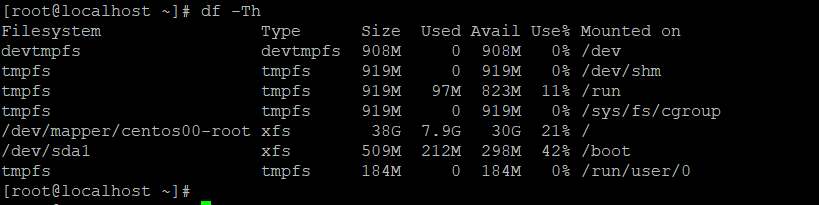
df -T shows the disk usage along with each block’s filesystem type (e.g., xfs, ext2, ext3, btrfs, etc.)
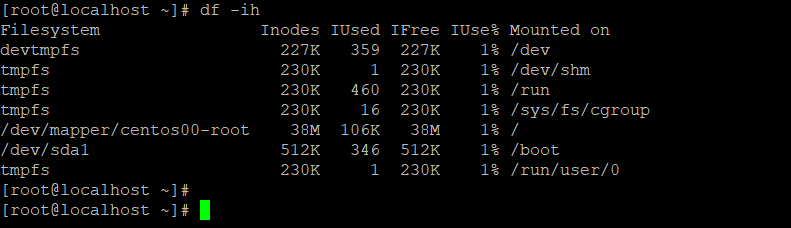
df -i shows used and free inodes
du
du shows the disk usage of files, folders, etc. in the default kilobyte size
du -hshows disk usage in human-readable format for all directories and subdirectories
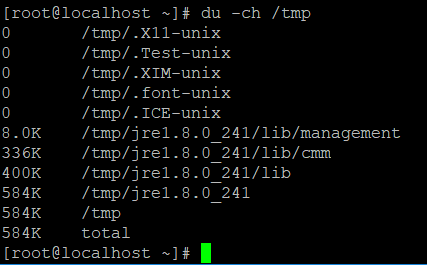
C:- count total space size of folder
du -ashows disk usage for all filesdu -sprovides total disk space used by a particular file or directory
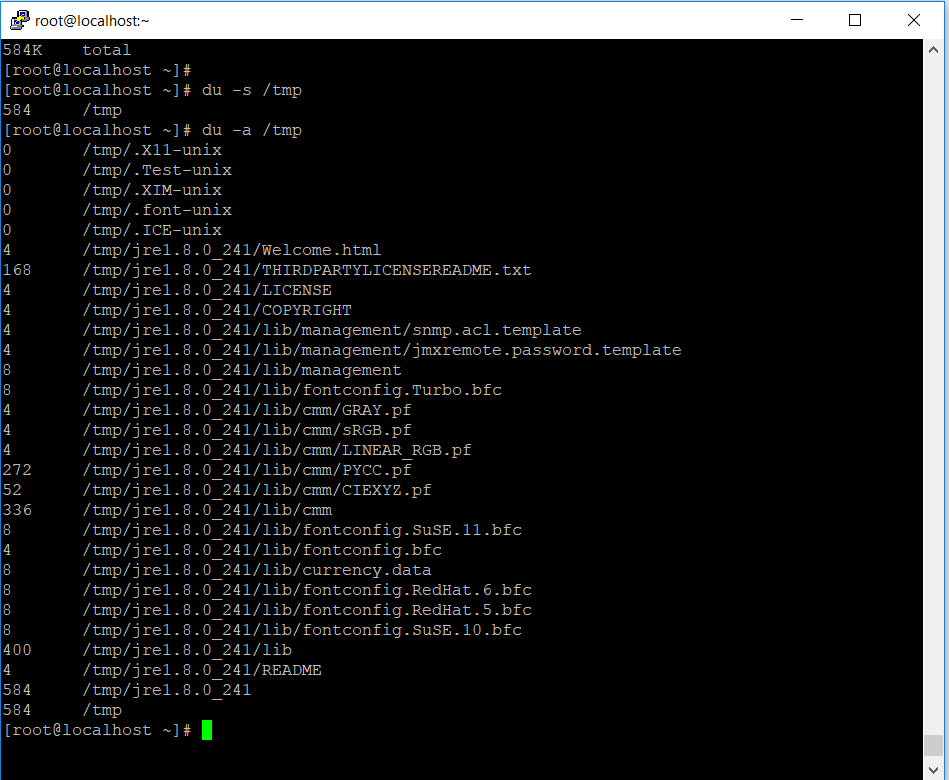
How to search the disk size of files from folder and delete or empty the big size file
First goto the the perticuler folder using “cd” command
cd /tmpthen type below command to check the size of files from folders
du -chs *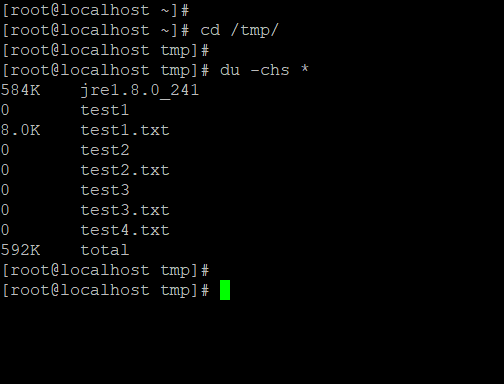
How to delete and erase the files
- Enter below command for deleting the file
rm -rvf test2.txtcommand explanation: –
-r, -R, –recursive
remove directories and their contents recursively
-v, –verbose
explain what is being done
-f, –force
ignore nonexistent files and arguments, never prompt
- Enter below command for empty the big size file
# > file_nameExample: –
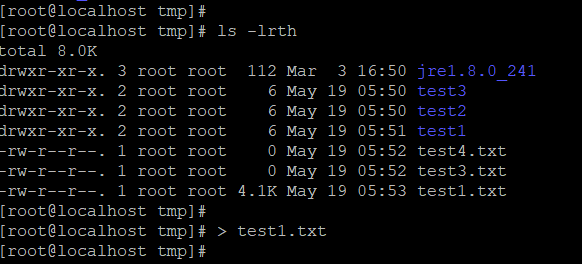
# > test1.txt