
Knowledge Base
How to open a port in CSF using WHM?
Config Server Firewall (CSF) is a Stateful Packet Inspection (SPI) firewall, Login/Intrusion Detection and Security application for Linux servers. It’s is a security tool that can protect your server against attacks, such as brute force, and improve server security.
You can open a port easily using WHM by following the below steps:
- Login to WHM account using your Servers root password.
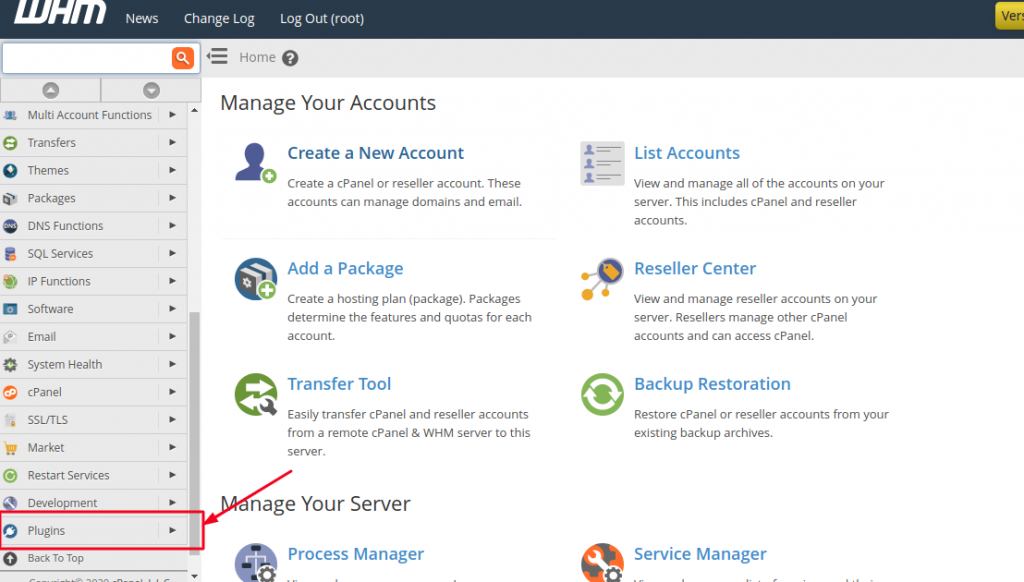
- From the justify pane, scroll down to Plugins option and select it.
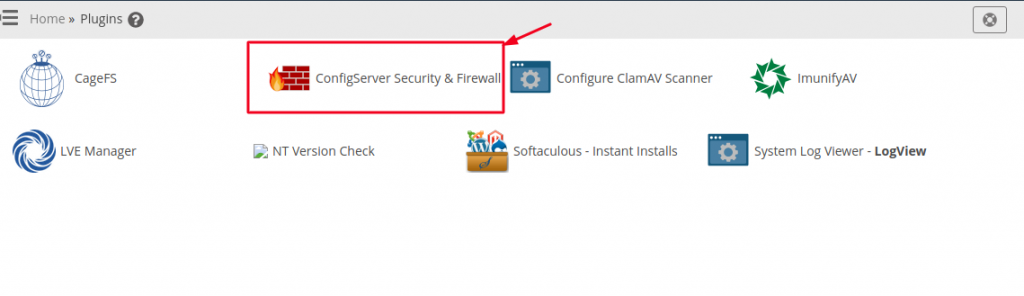
- Then from the Plugins Dashboard, click on the option ‘ConfigServer Security & Firewall’.
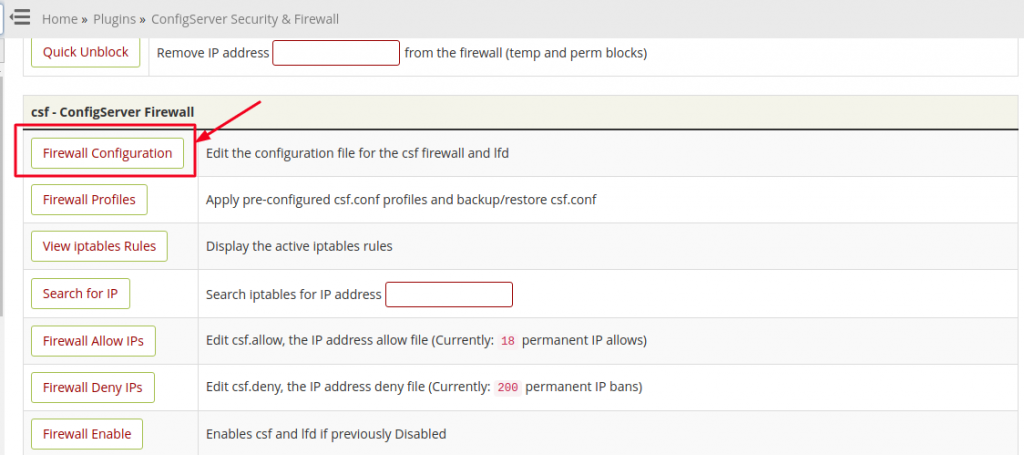
- Now scroll down and search for ‘Firewall Configuration’ option and click on it to enter into advanced settings.
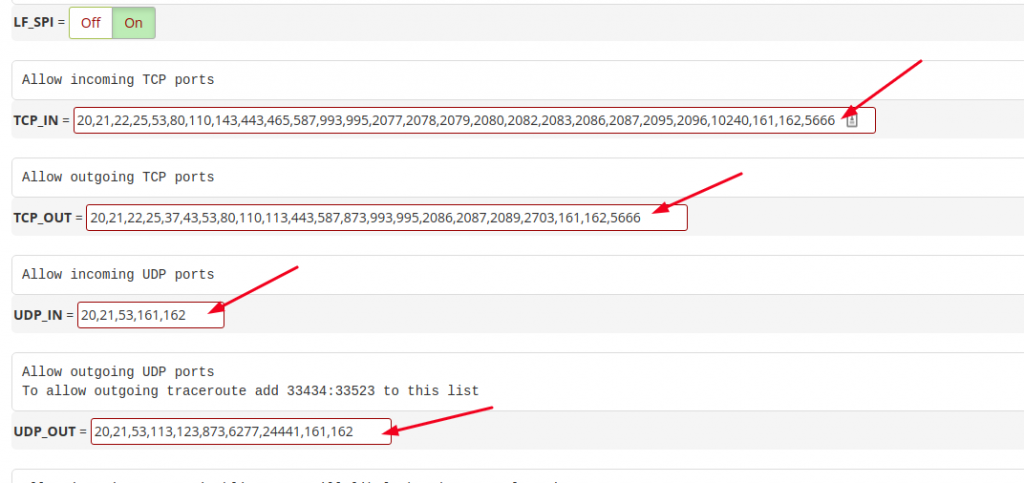
- On this window, go to IPv4 Port Settings and edit the fields ‘Allow incoming TCP ports’ and ‘Allow outgoing TCP ports’ by entering the Port number you want to open on the Server. Also, in case the you want to open a UDP Port then edit the fields ‘Allow incoming UDP ports’ and ‘Allow outgoing UDP ports’ respectively.
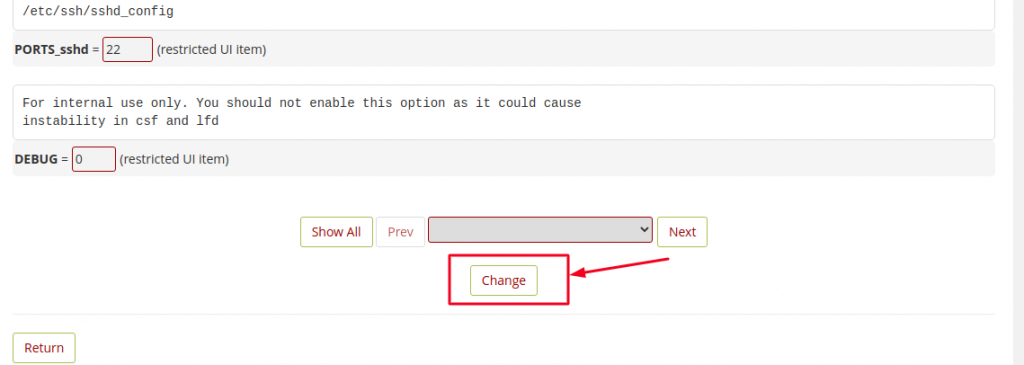
- Once you are done adding the new port number, scroll to the bottom of the page and click on Change button.
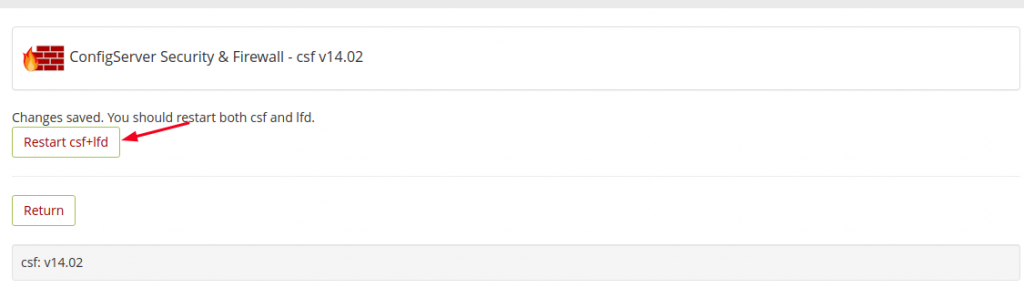
- Once the changes are saved, you should restart CSF service by clicking on the button Restart csf+lfd.
That’s it! You have successfully opened the port in CSF using the WHM interface.

