
Knowledge Base
How to remove existing domain from Plesk?
- Login to Plesk panel
- Go to Websites & Domains and find the domain name which you want to remove.
- You will see ‘Remove Website’ [For domain deletion] OR ‘Remove Subdomain’ [For Subdomain deletion] option at the last.
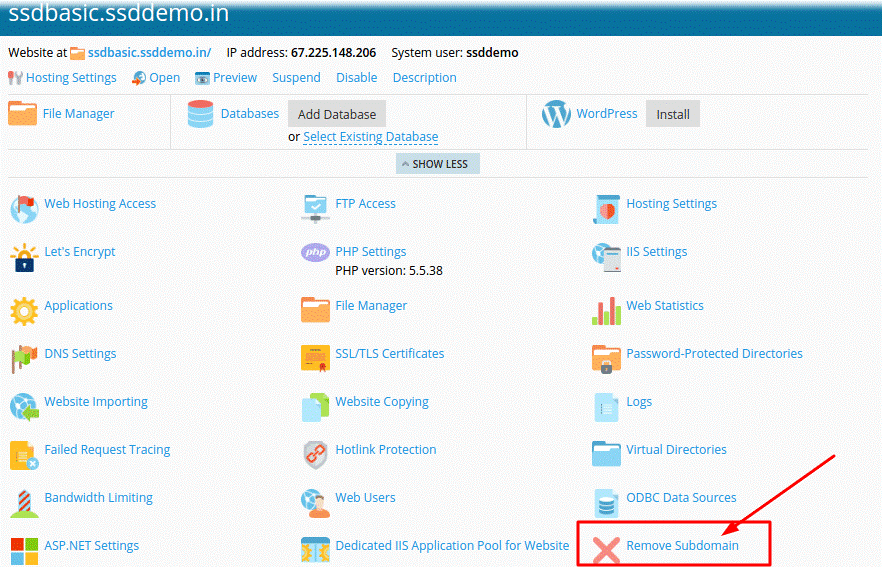
- Click on Remove Website or Remove Subdomain option there.
- Confirm the removal by clicking ‘Yes’ button.

Note:
Hosting default domain name cannot be deleted, you can edit the domain name only. The deletion of the domain from Plesk panel will delete all the related contents of that domain from the server.

