Knowledge Base
How to search logs for email status?
Log search helps you determine if a message was received by the SpamExperts filters, and whether the message was treated as spam.
Steps to find the logs:
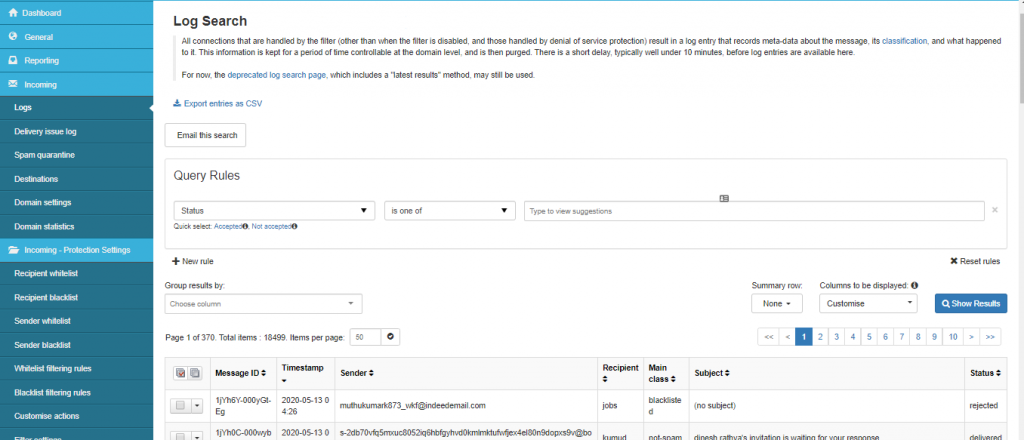
- From the dashboard, go to Incoming.
- Click on Logs
- Click on Add rule
- Select the parameter and the the specific match entry as per your requirement and click on search.
Note: You can also download the required logs by clicking on “Export entries as CSV”.
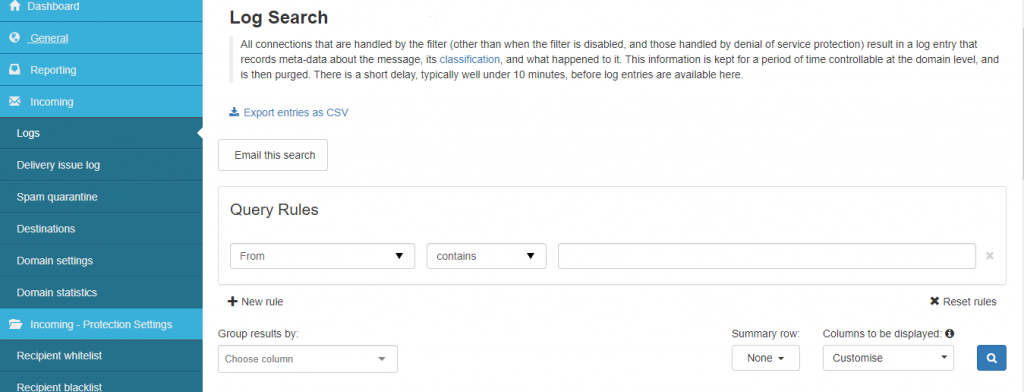
“Search parameters”
The most common type of search is as follows – all of the following settings are optional.
- Message ID: This is an internal message ID used by the spam filtering system. There is no need to enter anything here.
- Subject: Part or all of the message subject you are looking for.
- Sender: The sender’s email address or just the domain name.
- Recipient: The recipients’ email username.
- Sender IP: The IP address of the sending mail server.
- Sender hostname: The fully qualified domain name of the sending mail server.
- Delivery after and Delivery before: These are the times the message was actually delivered from the SpamExperts system to QualiSpace mail server.
- Destination IP: The IP address of the server the SpamExperts filter sent the message to after being checked for spam.
- Destination host: The fully qualified domain name of the destination mail server.
- Destination port: The TCP port used to connect the destination host.
Steps to check the status of the emails:
- From the dashboard, go to Incoming.
- Click on Logs
- Click on add rule
- Select the parameter as status and check the status of the required email.