
Knowledge Base
How to set default page in Plesk control panel?
To change the default page of your website from the Plesk control panel kindly follow the below steps:
- 1. Login to the plesk control by accessing the URL: http://yourdomainname:8880/
- Go to the websites and domain on the left side bar.
- Now navigate to virtual directory option.
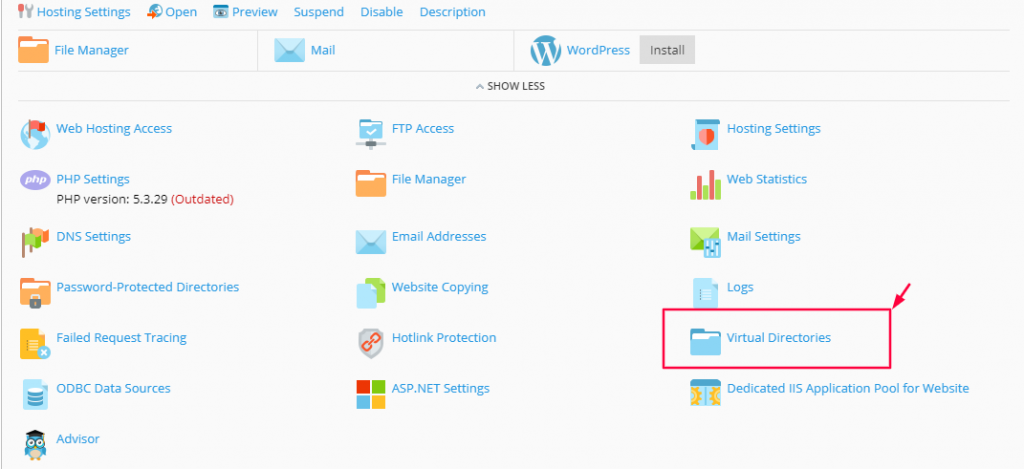
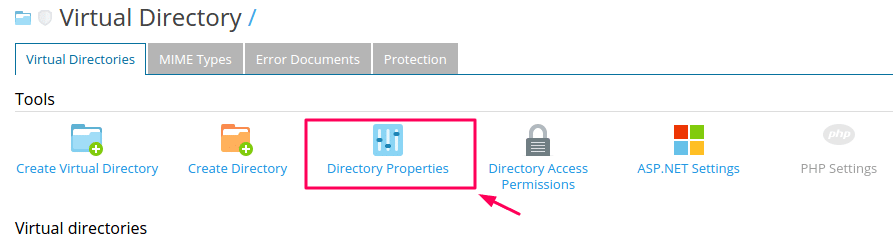
- Click on directory Properties option.
- Find the document section, in that type your default page name and click on ADD button.
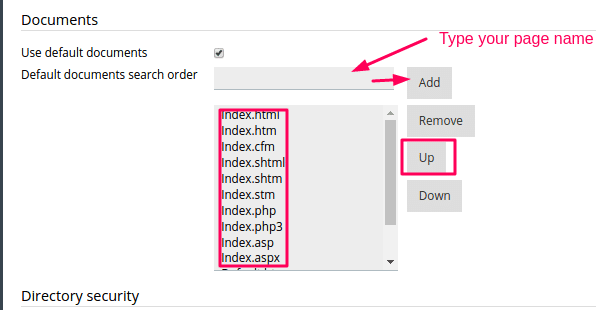
- Select your page name from the list and set priority first by click on Up button
- Once the default file comes on top of the list click on OK.

