
Knowledge Base
How to subscribe customers to plans?
To add a subscription to host your own websites and mail:
This is where you create service subscriptions for your own needs, as opposed to subscriptions that provide services to your customers.
- Go to Subscriptions, and click Add Subscription.
- Specify attributes of the domain provisioned with the subscription, service plan and add-ons.
- Optionally, select the Proceed to customizing the subscription… checkbox.
- Click OK.
To create a new customer account without a subscription:
- Go to Customers, and click Add a Customer.
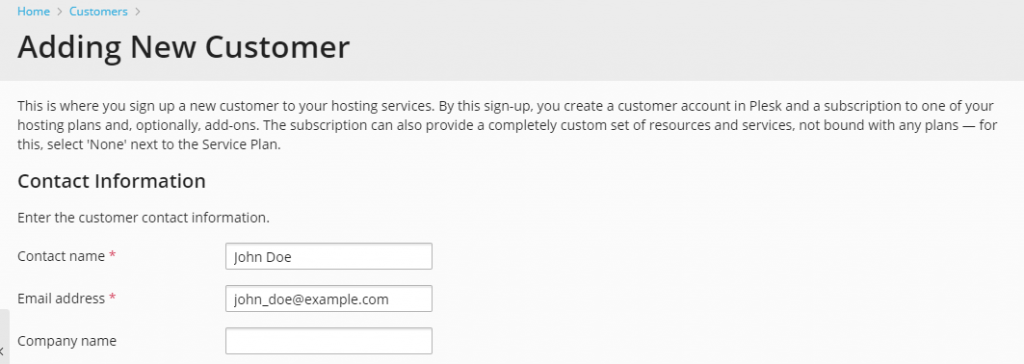
- Specify the customer’s contact and billing information, Customer Panel account’s username and password.
- Clear the Create subscription for the customer checkbox.
- Click OK.
To subscribe a new customer to a service plan and, optionally, add-ons:
- Go to Customers, and click Add a Customer.
- Specify the customer contact/billing information, user name and password, and attributes of the domain linked with the subscription.
- Select a service plan with which the subscription should be associated.
- Select add-on plans if you wish to add any.
- Leave the Proceed to customizing the subscription checkbox cleared.
- Click OK.


