
Knowledge Base
Steps to Route in Gsuite:
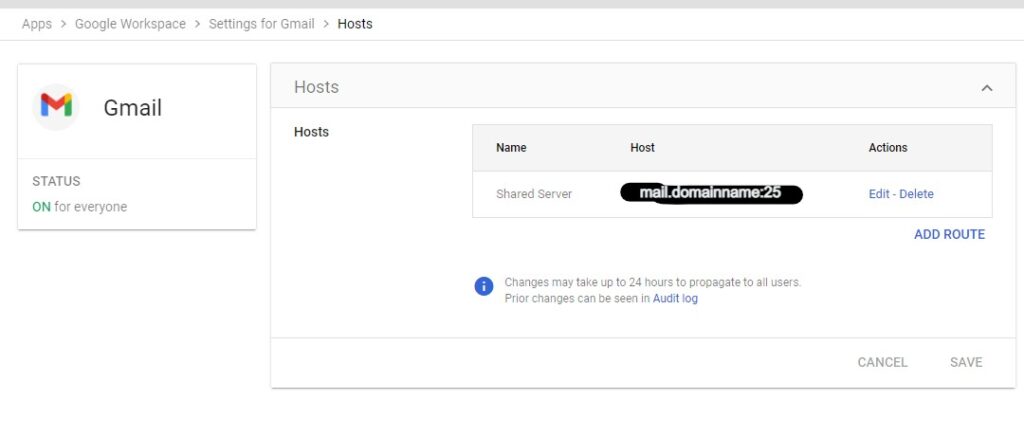
Step 1: 1.Login to admin panel 2.Go to Apps>G suite>Setting for Gmail>Advanced settings 3.Go to Hosts. 4.Give the name as “server”. 5.Under Specify email server: a) Select single host. b) Enter server IP and port 25. c) Click on save.
Step 2:
- Under general settings.
- Go to routing.
- Click Configure.
- Under Messages to affect: a) Select “inbound” and “Internal – receiving”. 6.Select Change route. 7.Select the secondary mail route from the list(server). 8.Scroll down and click Save.
- Under “Account types to affect”
Select “Unrecognized / Catch-all” and deselect “Users”
Note: Also add the forwarder for the Email ID present in google apps.
Example: user@domainname.in.test-google-a.com
and only select the option available in steps, the rest should be justify blanked or unchecked

