
Knowledge Base
How do I change my cPanel interface/theme?
You can change cPanel’s look and feel using this interface. cPanel has two major interface styles in which you can manage your web hosting.
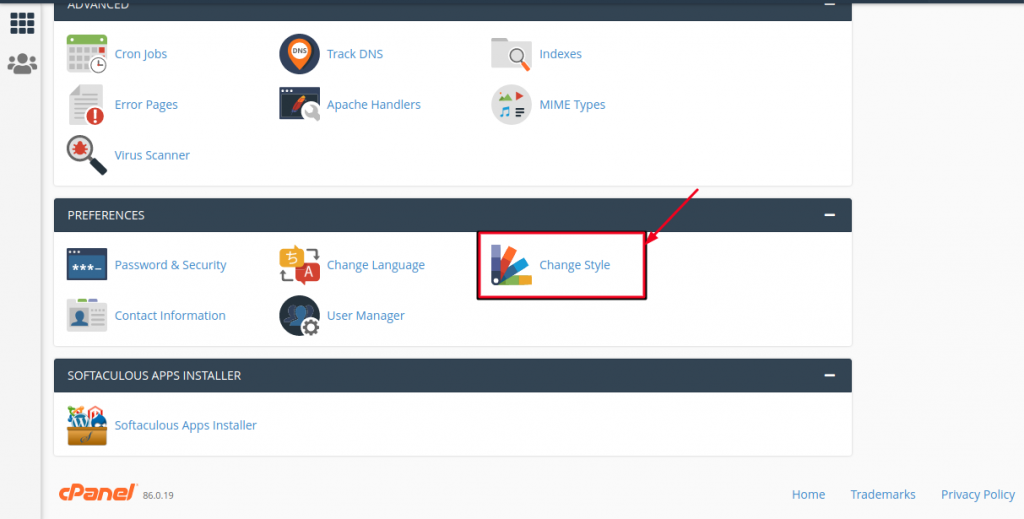
1. To change the style of your cPanel, find the “PREFERENCES” section (it’s usually near the bottom) and click on “Change Style”:
2. Choose any style option from the available styles, click Apply button which can be found over the top of the style to load the new style.
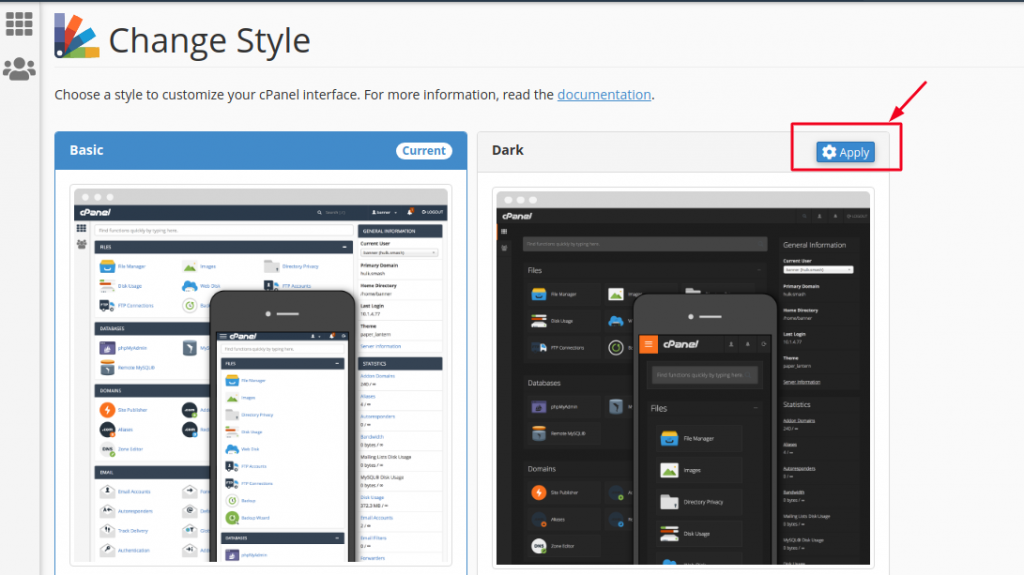
3. cPanel will automatically reload to apply the new setting and you will find a new interface according to the one you selected.

