Knowledge Base
How to enable 2 Factor Authentication
- Login into QualiSpace Client Area https://shop.qualispace.com
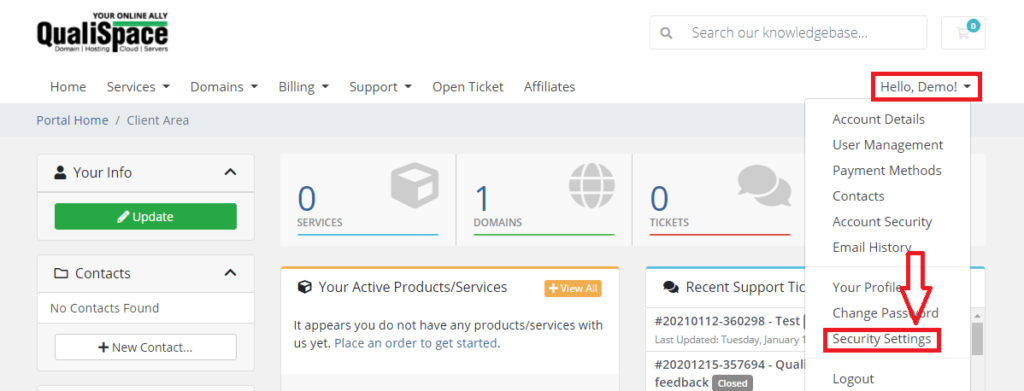
- Click on Account icon (Right Top Page) and Click on “Security Settings”
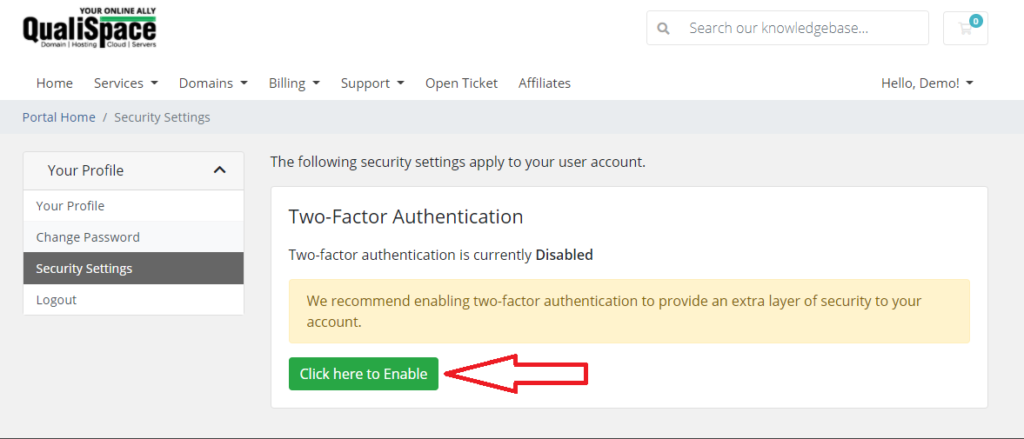
3. In the security settings, click “Click here to Enable” button
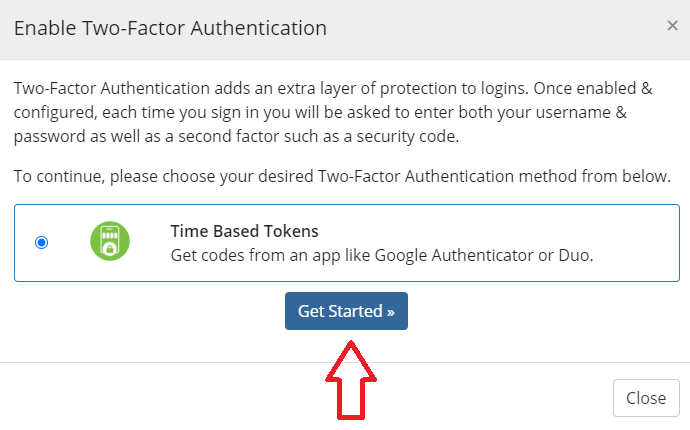
4. We have Time based Tokens, for that you can download Google Authenticator Application from Play Store or Apple Store and click “Get Started”
5. Now, you can open your Google Authenticator application and click “Scan a QR Code”. Scan the QR Code, it will generate a time based token. Enter the code and click submit.
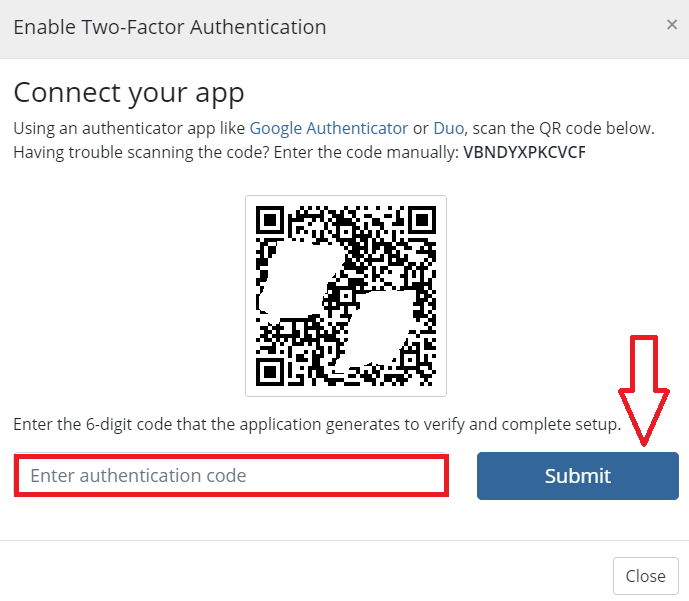
6. Now, you will see that 2 factor is enabled. Please make sure you save backup code for future purpose.
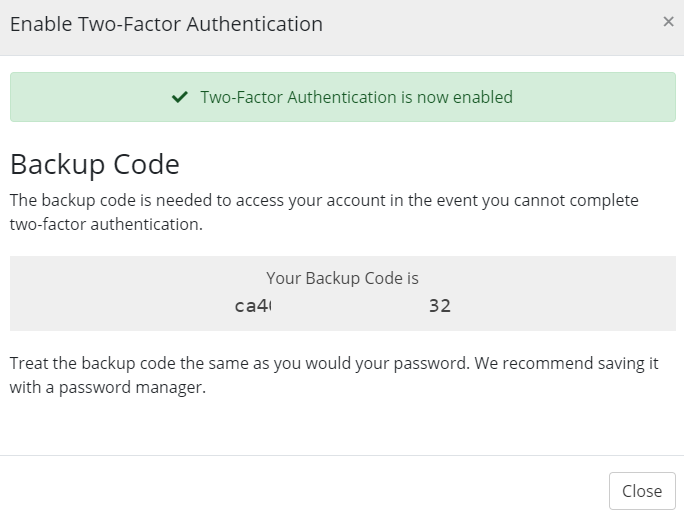
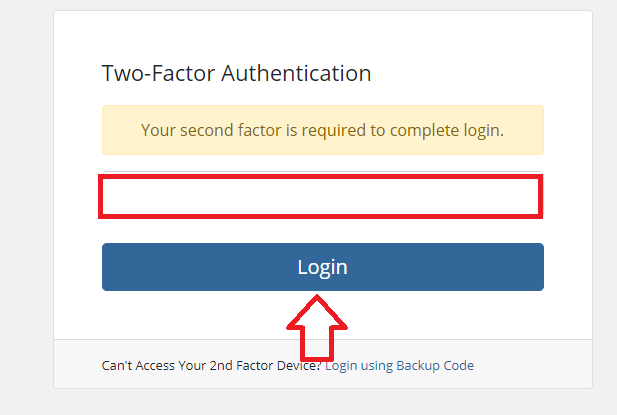
7. Now, each time you login into QualiSpace client area it will ask you 2 factor code which you will get in your Google Authenticator Application.