Knowledge Base
How to install WordPress in Plesk
WordPress is the most popular open-source CMS for blogs and websites. You can install WordPress in a few clicks
Follow the steps to Install WordPress on Your Hosting Account
- Log in to Plesk Control Panel
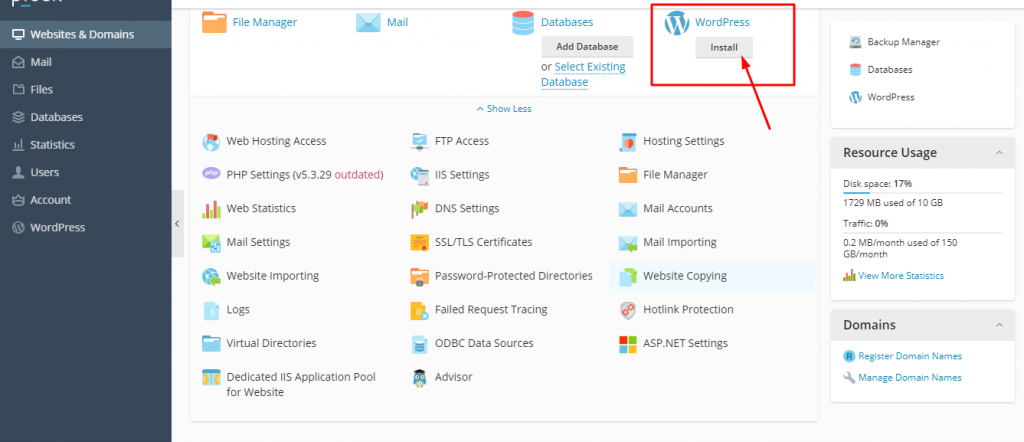
- Click on Install button of WordPress as per the screenshot.
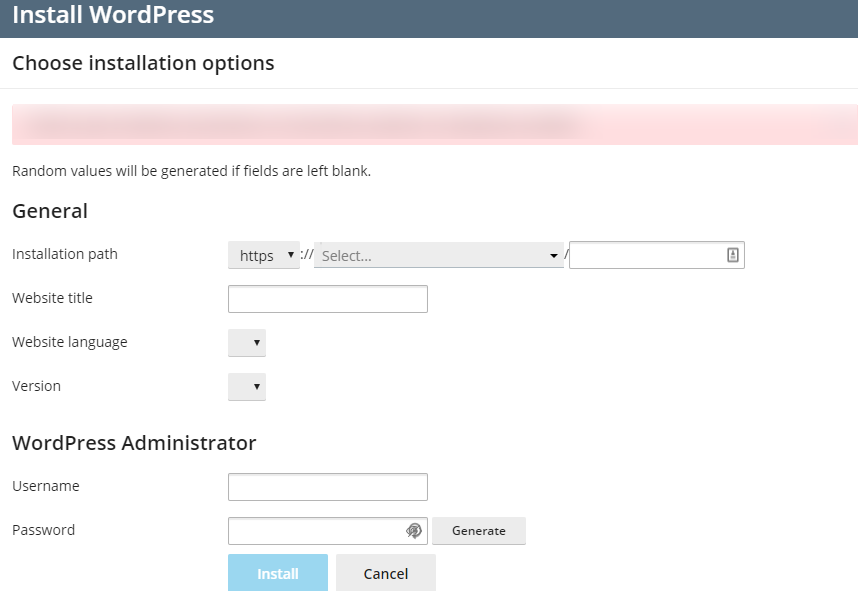
On the below displayed page, fill in the fields for:
- Site Name
- Username
- Password (needs to be entered twice)
- Email address (login information will be sent to this email address)
- Enter your database details
Click Install Now