Knowledge Base
How to Whitelist and Blacklist in SpamExpert
Rules which allows are known as Whitelisting and rules which blocks are called Backlisting.
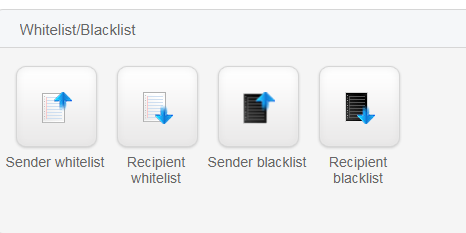
- Sender whitelist – To always ALLOW incoming email from an address or domain
- Recipient whitelist – To always ALLOW incoming email to an address or domain
- Sender blacklist – To always BLOCK incoming email from an address or domain
- Recipient blacklist – To always BLOCK incoming email to an address or domain
Steps to Blacklist an email address:
- From the dashboard, go to Incoming-Protection Settings .
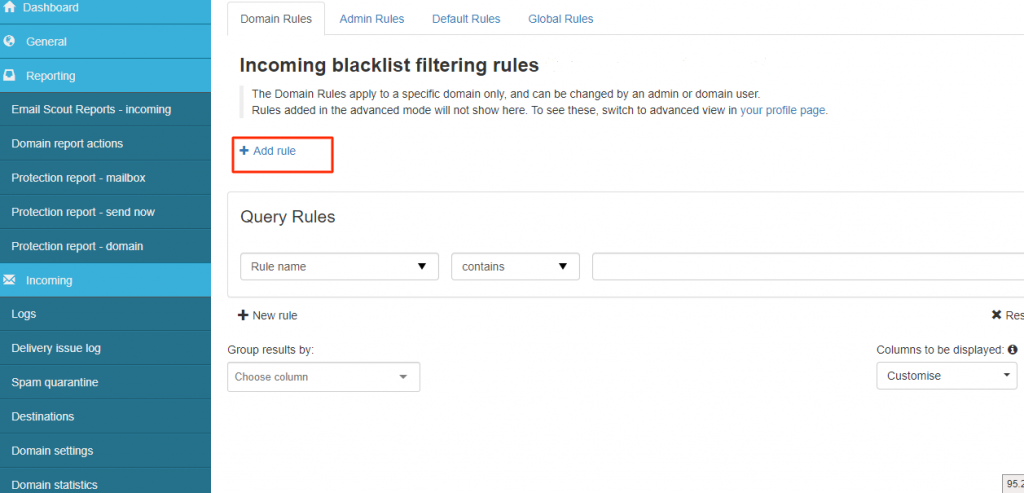
- Click on Blacklist Filtering Rules to set the filtering.
- Click on Add rule.
- Enter Rule name and select the specific match entry as per your requirement and click on save.
Note: You can block either by providing a full email address e.g. demo@iwantdemo.com or by simply adding the domain name e.g. iwantdemo.com.
Steps to Whitelist an email address:
- From the dashboard, go to Incoming-Protection Settings .
- Click on Whitelist Filtering Rules to set the filtering.
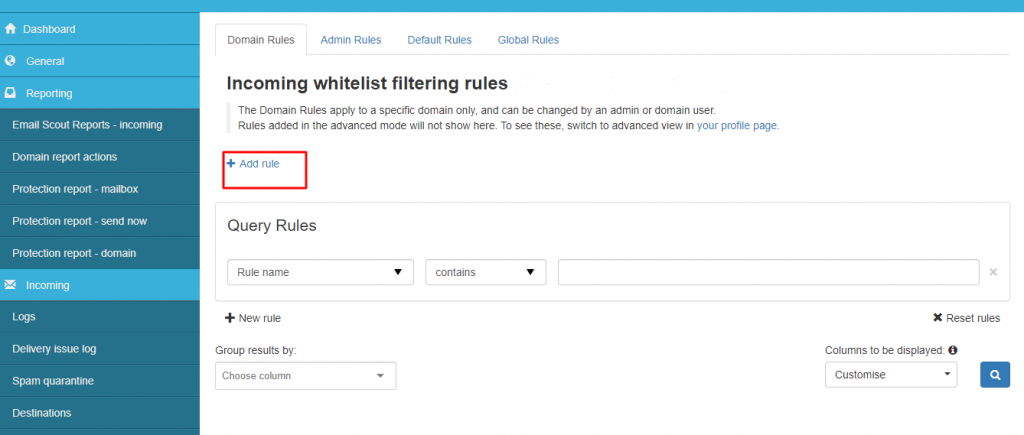
- Click on Add rule.
- Enter Rule name and select the specific match entry as per your requirement and click on save.
Note: You can allow either by providing a full email address e.g. demo@iwantdemo.com or by simply adding the domain name e.g. iwantdemo.com.