Knowledge Base
How to restore database from CodeGuard?
Steps to Restore the Database of your website:
- Login to CodeGuard Panel.
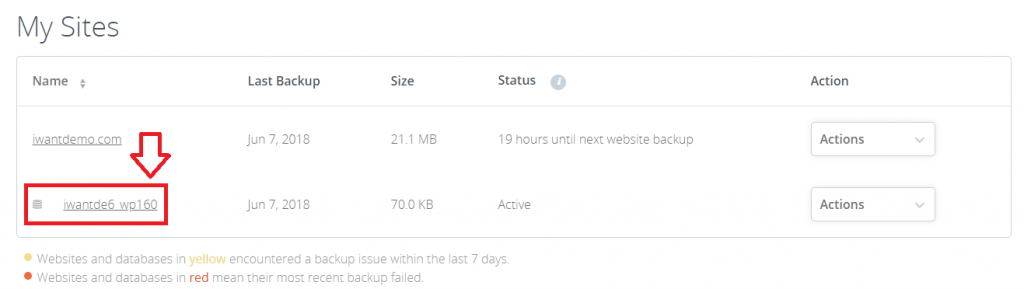
- Scroll to “My Sites” and click the database which you want to restore.
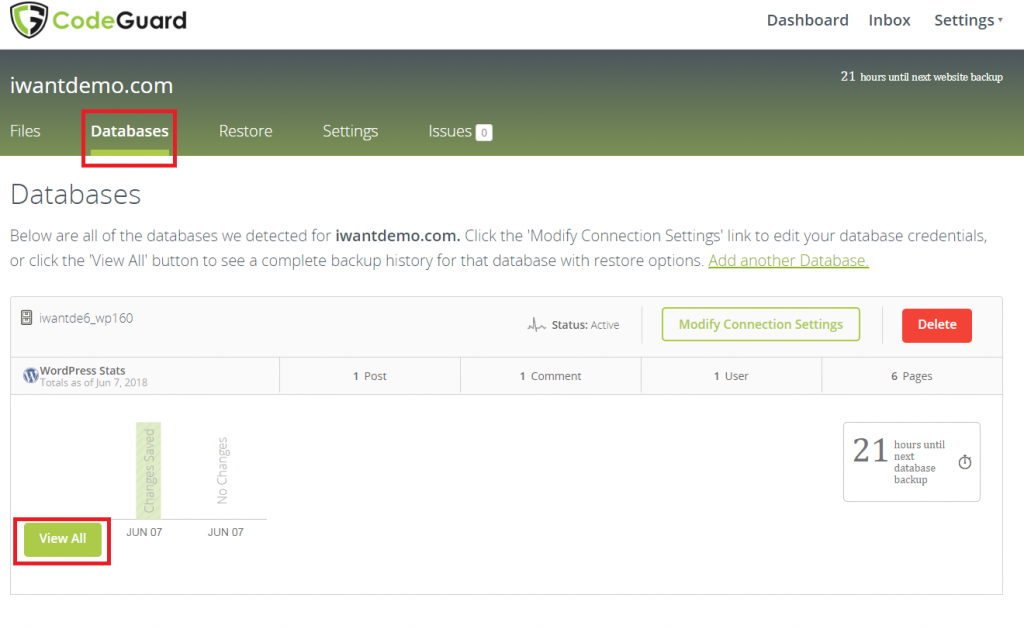
- Under navigation menu go to “Databases” tab, you will see your backup summary, below click on “View All”.
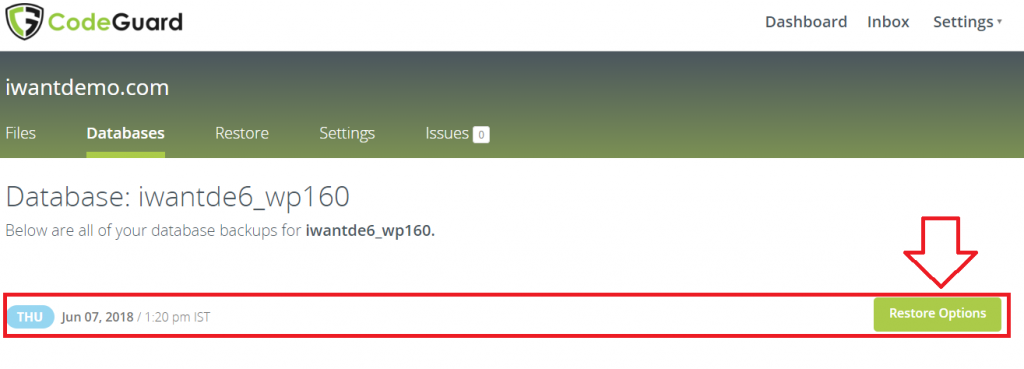
- You will see backup history, click “Restore Options”.
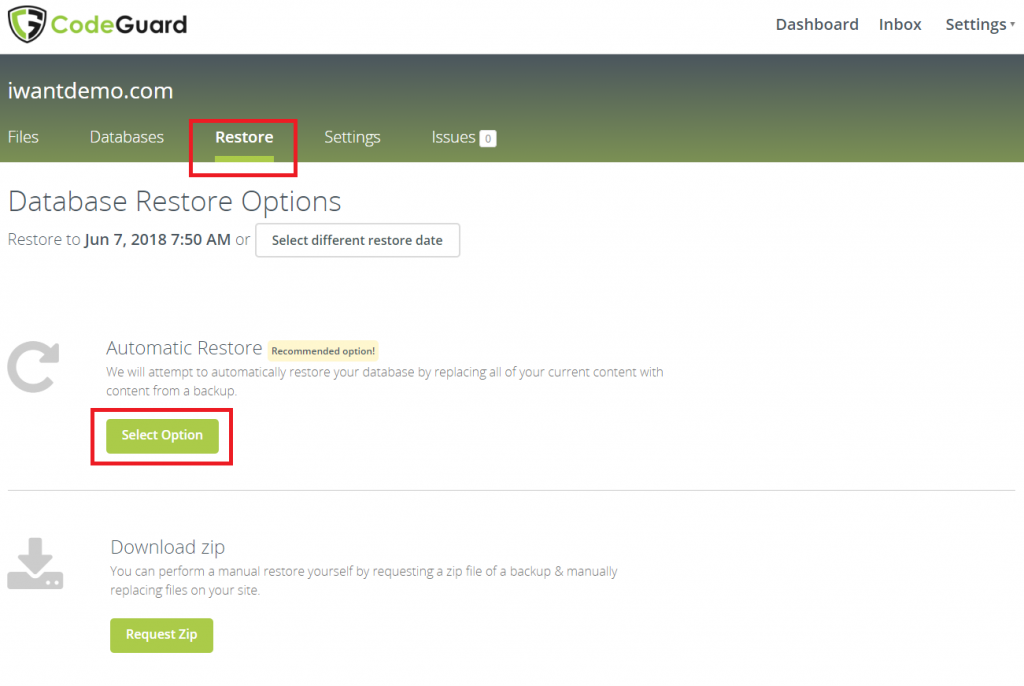
- You will find 2 options to restore
- Automatic Restore
- Download Zip
(here we have selected “Automatic Restore”).
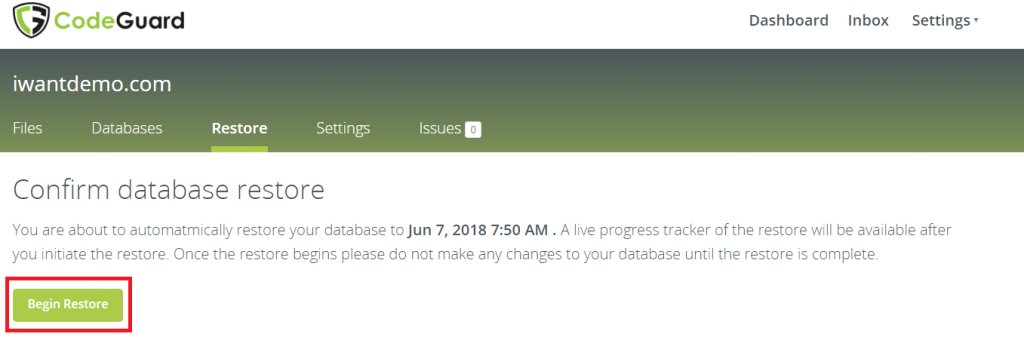
- Now it will ask confirmation to restore it, click “Begin Restore”.
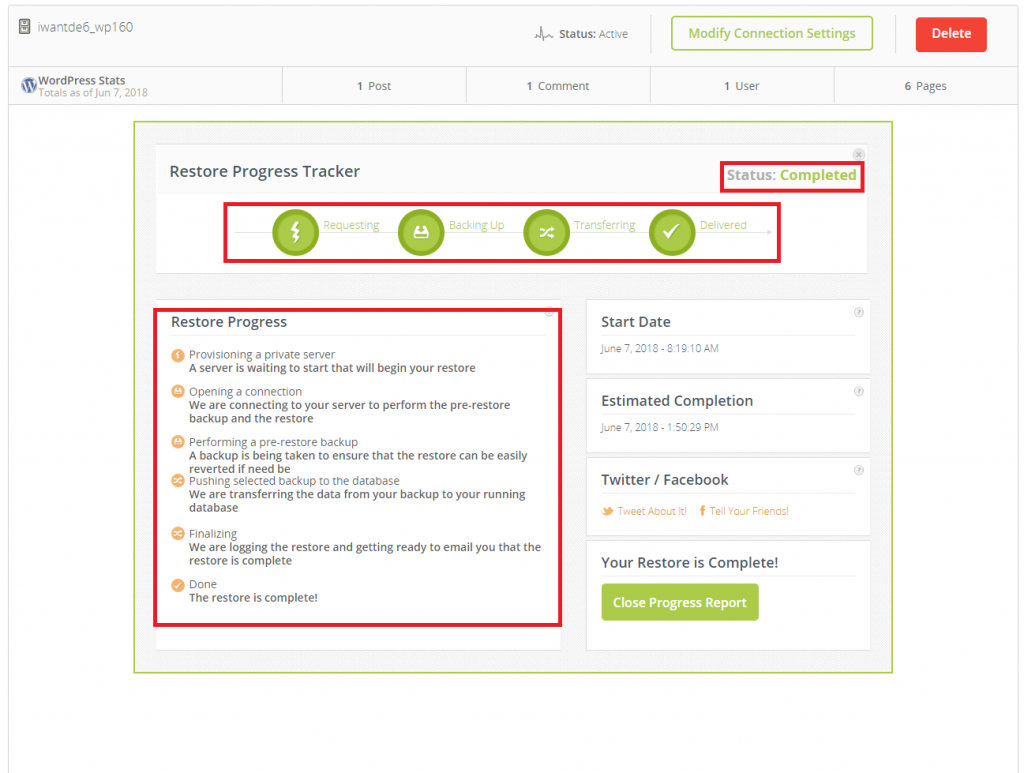
- Now restoration process will start also it will show restoration progress for the same.
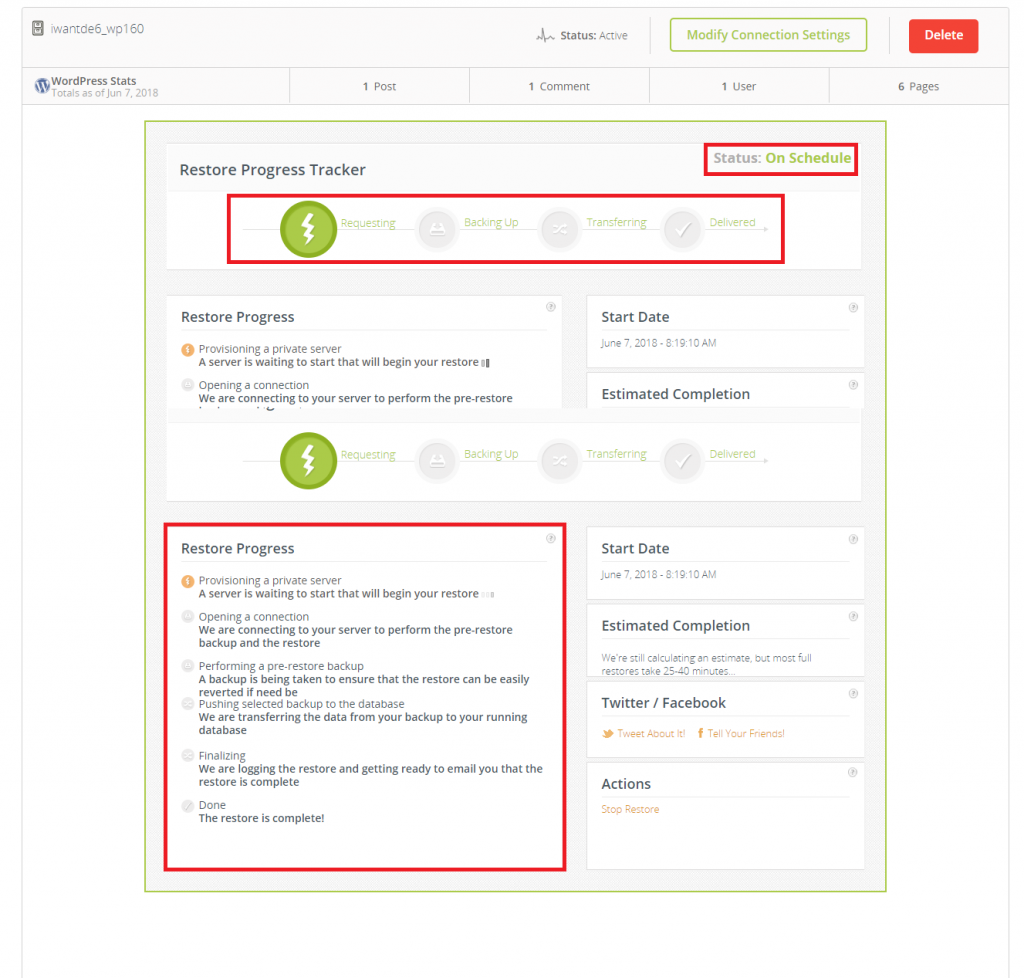
- Once the restoration is completed you will see the status as completed.