
Knowledge Base
Turn On 2 step verification in g Suite
- Login to Gsuite Admin account accessing below URL: admin.google.com
- Go to Users
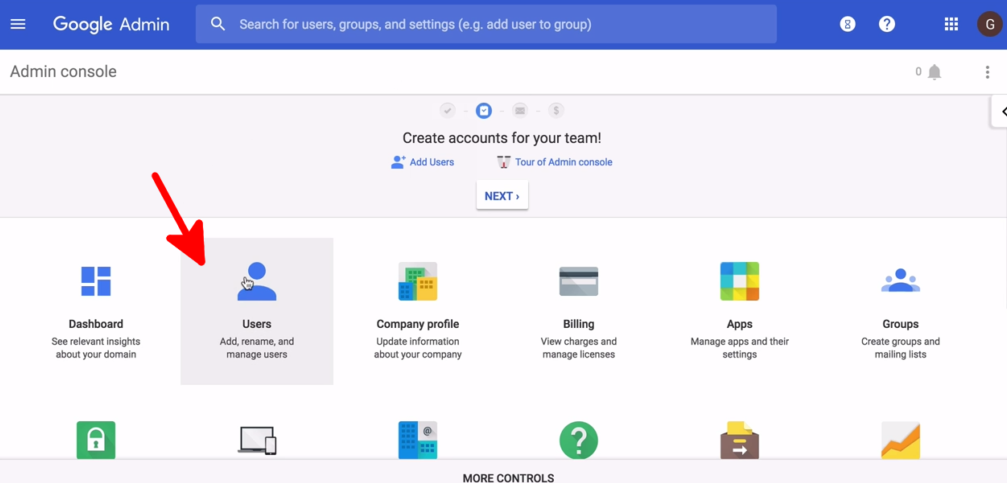
- Click on the username you wish to enable the 2- step verification
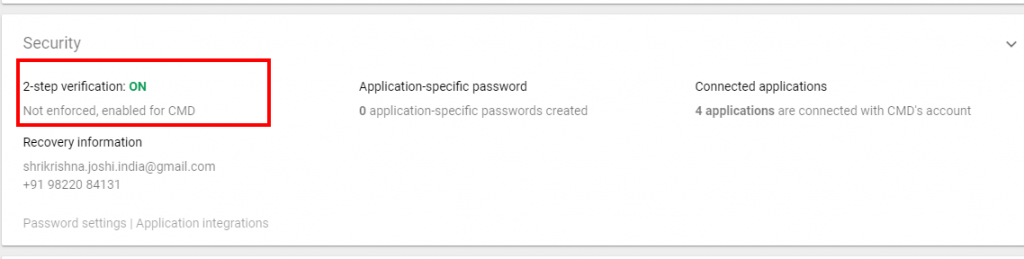
- Under security, Click on ‘ON’ to turn on the verification
- Click on save.

