
Knowledge Base
How to renaming a user name in G Suite?
- Login to Gsuite Admin account accessing below URL: admin.google.com
- Go to Users

- Click on the username you wish to renew
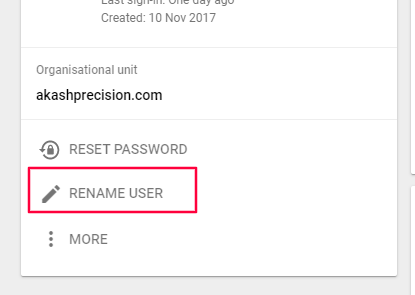
- Go to Rename User (LHS)
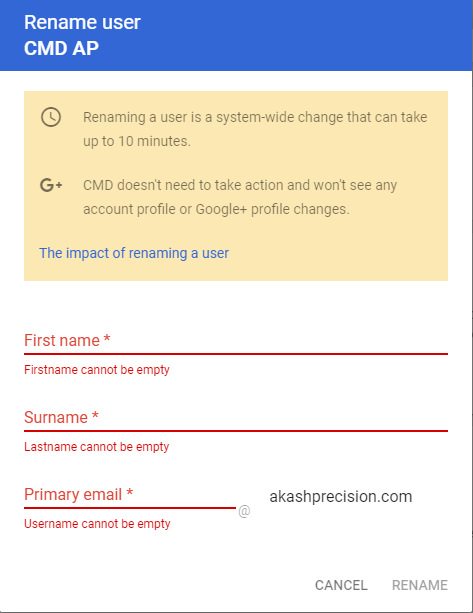
- Enter the details and click on rename
Note: The user will
- Start receiving mail at their new address
- Sign in to their account with the new address (old sign-in name won’t work)
- Continue to get mail at their old address, which becomes an email alias
- Continue to access emails, files, and data associated with the old address

