Knowledge Base
I have forgotten my client area login details
To login to the client area you must enter your registered email address and password, if you have forgotten either of these please follow the instructions below:
I have forgotten my Email address
If you have forgotten or changed your email address, please contact us. Our team will let you know about your registered address
I have forgotten my password
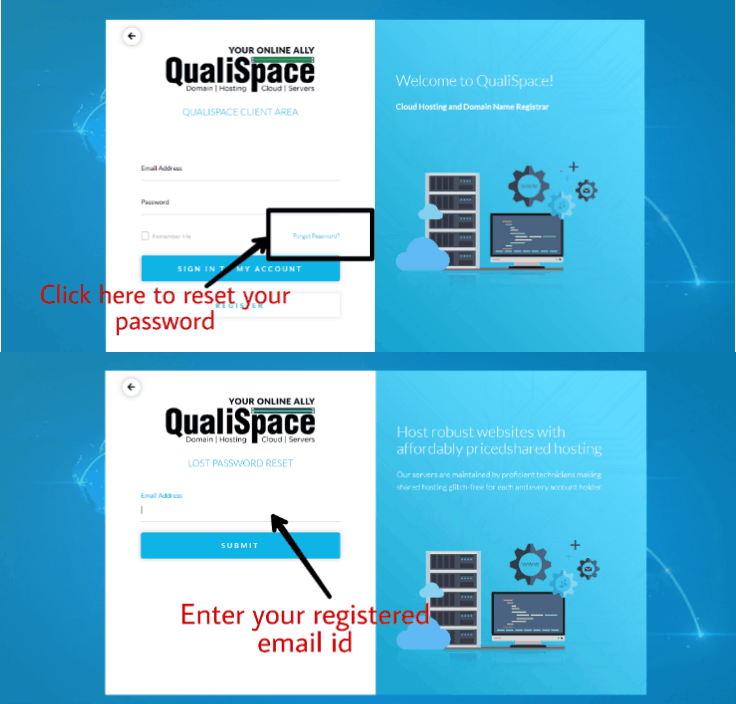
If you have forgotten your password, please follow the instructions below.
- Go to the following QualiSpace reset link
- Enter your registered email address
- An email will be sent to your registered address containing password
How can I change my password?
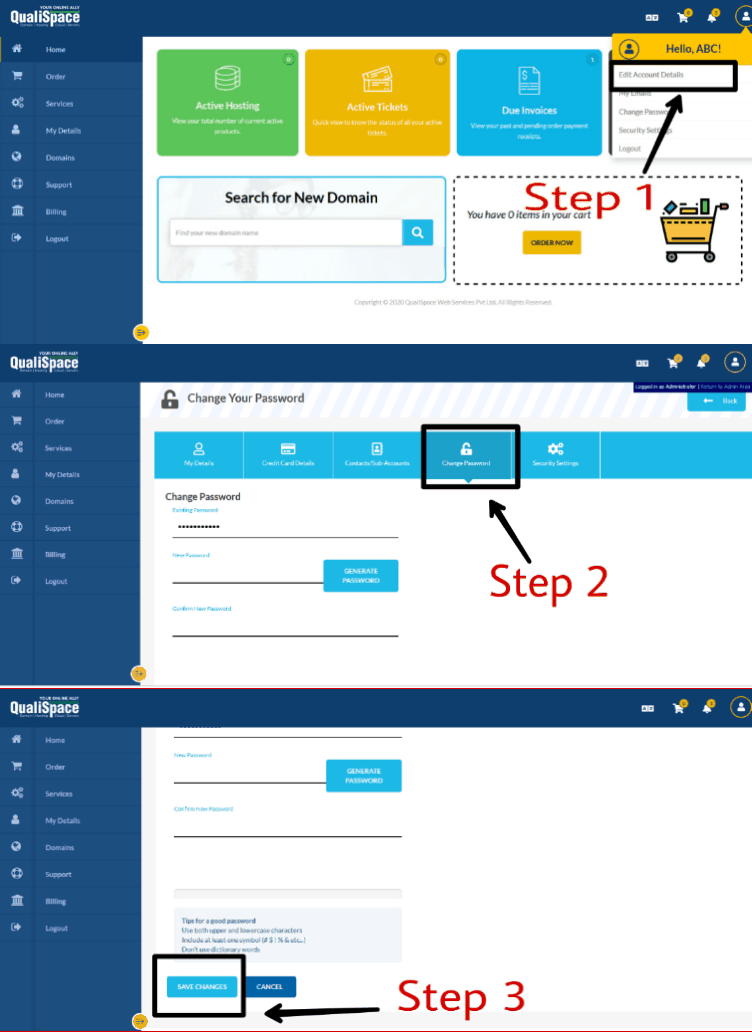
To change your password to something more memorable, folow below steps
- Log in ‘Client Area’
- Under Account Information (Right hand side of the home page)
- Select the Drop down ‘Edit Information’
- Change Password.